All examples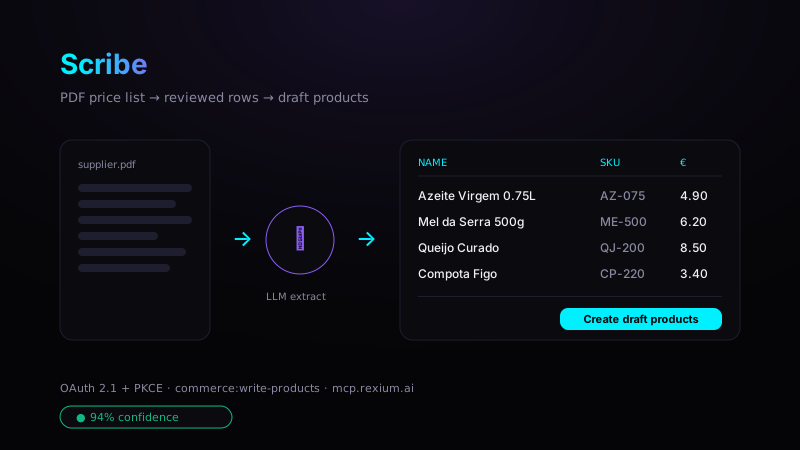
Scribe
AI · writesA document-to-data Surface with a two-pane workspace: drag & drop a PDF and preview it live on the left, the extraction on the right. The ParseDocument tool runs a server-side LLM extraction (1 Commerce AI action) that returns the document type, a confidence score and structured rows — proposing only, nothing written. You correct the rows inline against the rendered document, then CommitDocumentExtraction creates one draft product per row, tagged with the supplier SKU and the source document id. Quota + page caps live in the shared Scribe core, so the Surface, the admin app and an agent all hit the same cost-safe path. The first Surface that WRITES to your Spine — a single write scope is the whole sandbox.
Stack
Vanilla JSNo buildPDF previewDrag & drop
Scopes
commerce:write-products
How to run
- 1Register a public (PKCE) app at /build/apps; add the redirect URI shown in the app.
- 2Grant commerce:write-products.
- 3Open examples/rexium-surface-scribe/index.html (or deploy / install it).
- 4Upload a supplier price-list PDF, review the extracted rows, and create draft products.
examples/rexium-surface-scribe